
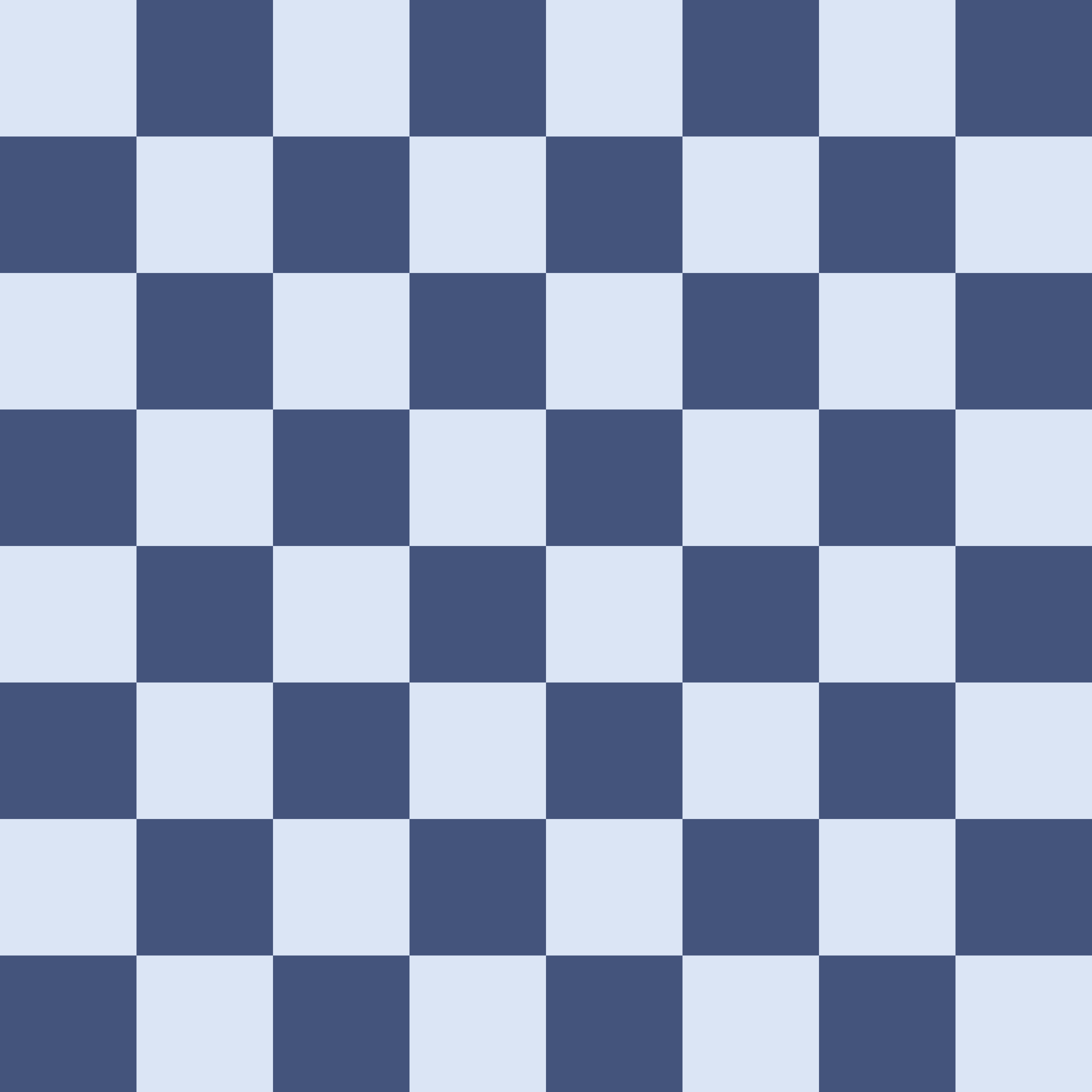












A chessboard is more than a pattern of light and dark squares.
It is an absolute coordinate system.
Every one of the sixty-four squares has one permanent address.
That address does not change when:
- the board is viewed from the other side;
- a digital board is flipped;
- White or Black has the move;
- the position changes.
Coordinate fluency is therefore the first layer of board vision.
Every square has one permanent address.
The goal is not merely to decode labels slowly.
The goal is to look at a board and know where things are with increasing immediacy.
The board as a coordinate system
An orthodox chessboard contains:
- 8 files;
- 8 ranks;
- 64 squares.
A square is identified by combining:
- a file letter;
- a rank number.
Examples:
a1;d4;e5;h8.
No two squares share the same complete coordinate.
Why coordinates matter beyond notation
Coordinates are later used in written notation, but board coordinates are not merely a notation convention to memorize.
They provide a common spatial language for:
- locating a chessman;
- identifying an attacked square;
- describing a route;
- naming a diagonal;
- comparing two positions;
- following a lesson;
- reading a diagram;
- reconstructing a position;
- communicating a move;
- calculating future positions later.
Formal move notation builds on this spatial system but is a separate skill.
Here the goal is the spatial system underneath notation.
Absolute reference prevents ambiguity
Imagine saying:
"The knight is near the middle on White's right."
That may be understandable visually.
But:
"The knight is on f3."
is exact.
Coordinates eliminate uncertainty about:
- which square;
- which side of the board;
- which viewing orientation.
Coordinates turn visual location into exact shared language.
Files
The eight vertical columns of the chessboard are called files.
They are labelled:
a b c d e f g h
From White's normal viewing perspective:
ais the far-left file;his the far-right file.
From Black's normal viewing perspective, the visual left/right order appears reversed.
But the files themselves do not change names.
File identity is permanent
The e-file is always the file containing:
- e1;
- e2;
- e3;
- e4;
- e5;
- e6;
- e7;
- e8.
If the board is flipped so Black appears at the bottom:
that vertical column is still the e-file.
Same-file relationship
Two squares share a file when they have the same letter.
Examples:
- a2 and a7 → same file;
- d1 and d8 → same file;
- f3 and f6 → same file.
Examples that do not share a file:
- e4 and d4;
- c3 and c7? They do share c-file, so yes.
- b2 and g2 → not same file.
Same file?
Classify:
- a1 / a8
- d4 / d7
- e4 / f4
- h2 / h6
- c3 / c5
Answers:
- yes;
- yes;
- no;
- yes;
- yes.
Rapid file recognition
Highlight random squares one at a time.
Ask only:
What file is this square on?
Do not require the full coordinate yet.
Purpose: Automate file recognition independently before combining it with ranks.
Recommended progression:
- labelled board;
- labels only on first/eighth ranks;
- completely unlabelled board.
Ranks
The eight horizontal rows are called ranks.
They are numbered:
1 2 3 4 5 6 7 8
From White's normal perspective:
- rank 1 is nearest White;
- rank 8 is farthest from White.
From Black's normal perspective:
- rank 8 is nearest Black;
- rank 1 is farthest from Black.
Again, the numbers themselves do not change.
Rank identity is permanent
The fourth rank always contains:
- a4;
- b4;
- c4;
- d4;
- e4;
- f4;
- g4;
- h4.
Flip the board:
it is still the fourth rank.
Same-rank relationship
Two squares share a rank when they have the same number.
Examples:
- a4 and h4 → same rank;
- c7 and f7 → same rank;
- b1 and g1 → same rank.
Not same rank:
- e4 and e5;
- d2 and d6.
Same rank?
Classify:
- a1 / h1
- c4 / f4
- e5 / e7
- b8 / g8
- d3 / h3
Answers:
- yes;
- yes;
- no;
- yes;
- yes.
Rapid rank recognition
Highlight random squares.
Ask only:
Which rank?
Again progress toward an unlabelled board.
Naming squares
A square name is always written:
file first, rank second
Examples:
a1;c6;d4;h8.
Not:
1a;6c;4d.
Letter first. Number second.
Why the order matters
e4 means:
- file e;
- rank 4.
The coordinate is the intersection of those two lines.
File + rank = one square
Every file intersects every rank exactly once.
Therefore:
- 8 files × 8 ranks;
- 64 unique intersections;
- 64 unique square addresses.
Common beginner inversion
A reader may see:
- rank 4;
- file e;
and say:
4e.
That is not the chess coordinate convention.
The fixed order is:
file letter → rank number
"The order depends on what I notice first."
No.
Even if you mentally identify rank first, the written/spoken coordinate remains:
- letter;
- number.
Naming squares by region
Practice should include more than center squares.
Use:
Corners
- a1;
- h1;
- a8;
- h8.
Edges
- a5;
- h3;
- d1;
- f8.
Interior
- c3;
- d6;
- e4;
- f5.
This prevents coordinate knowledge from becoming:
"I know e4 and d4, but everything near the edge is slow."
Locate a named square
Coordinate fluency must work in both directions.
Recognition
Board → name.
Question:
What square is highlighted?
Location
Name → board.
Question:
Point to c6.
Both skills matter.
Coordinate pairs
Round A — name the highlighted square:
- b7;
- g2;
- d5;
- a4;
- h6.
Round B — locate the named square:
- e3;
- c8;
- f1;
- b5;
- g7.
Absolute coordinates vs player perspective
Chess coordinates are absolute.
Player perspective is relative.
This distinction is foundational.
e4 is always e4
If a White piece stands on e4:
- White sees it on e4;
- Black sees it on e4;
- a spectator sees it on e4;
- a flipped digital board still shows the piece on e4.
The display changes.
The address does not.
Flip the board, not the coordinates.
Forward is relative
Coordinates are absolute, but some chess language depends on color.
For a White pawn:
- forward means toward increasing rank numbers.
For a Black pawn:
- forward means toward decreasing rank numbers.
So:
- White pawn e4 → e5 is forward;
- Black pawn e5 → e4 is forward.
The square names remain absolute.
The direction word changes with the chessman's color.
Near and far are perspective-relative
From White's normal perspective:
- rank 1 is near;
- rank 8 is far.
From Black's normal perspective:
- rank 8 is near;
- rank 1 is far.
That is why phrases such as:
- near rank;
- far side;
- forward;
- backward
should always be interpreted with a stated player perspective.
Left/right can be dangerous language
From White's view:
- queenside appears on the left;
- kingside appears on the right.
From Black's view:
those visual directions reverse.
Absolute coordinate language avoids this ambiguity.
White and Black views
A player physically sitting at the Black side sees the coordinate frame rotated relative to White.
Appendix C expresses this explicitly:
- files run left-to-right for White and right-to-left for Black;
- ranks run bottom-to-top for White and top-to-bottom for Black.
The coordinate system therefore survives the change of viewpoint.
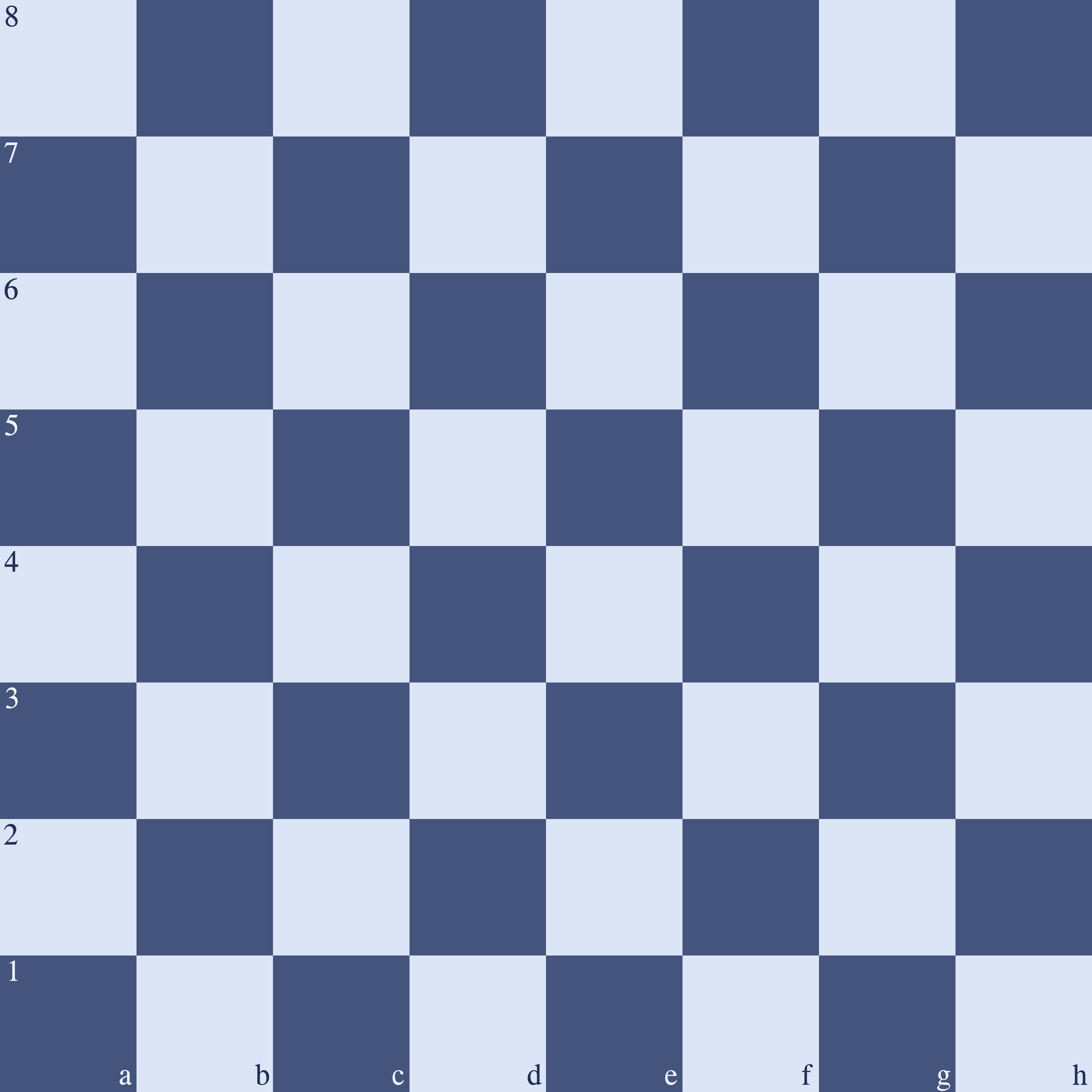
White-bottom view
Bottom row visually:
a1 b1 c1 d1 e1 f1 g1 h1
Top row:
a8 b8 c8 d8 e8 f8 g8 h8
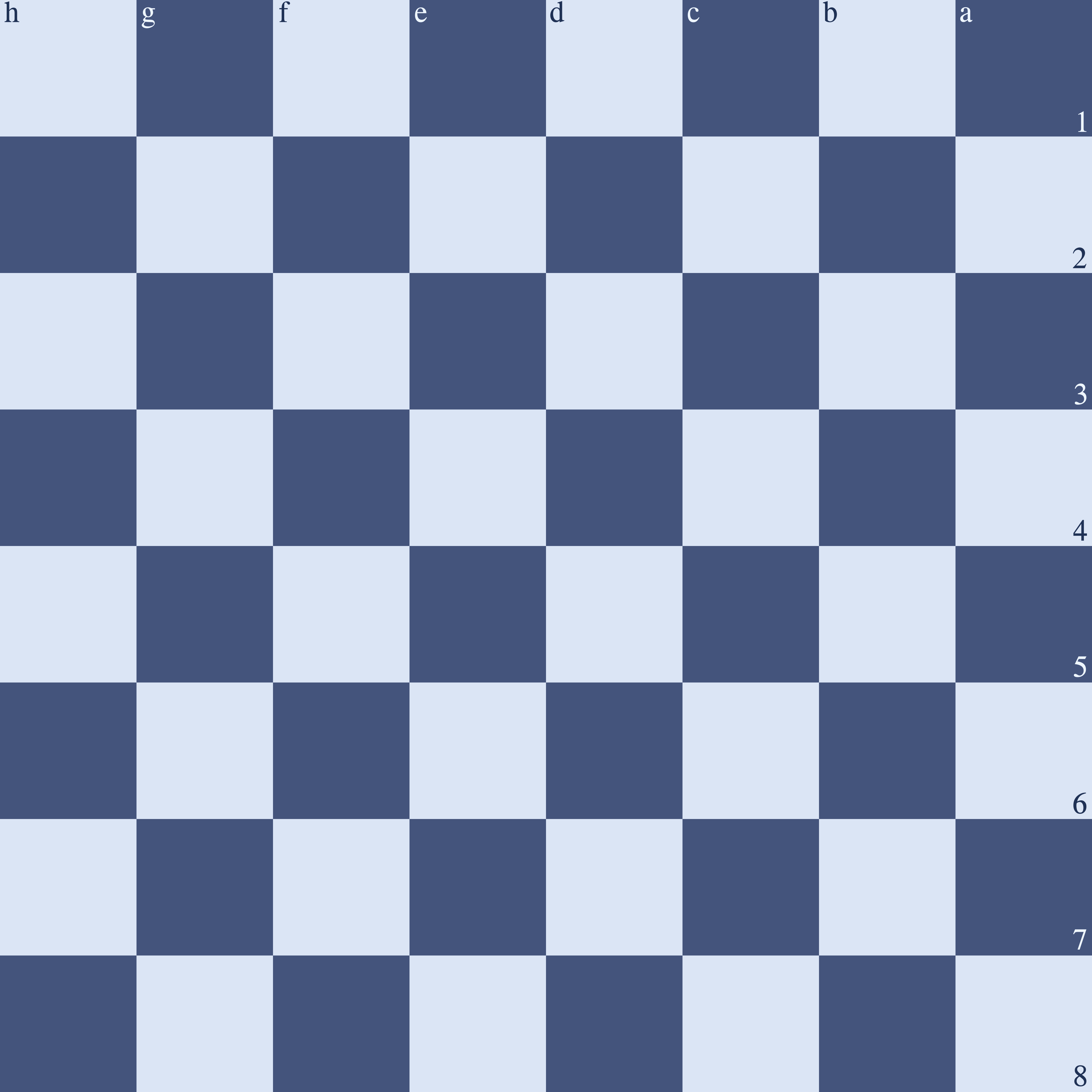
Black-bottom view
The board appears rotated.
Bottom row visually, from left to right:
h8 g8 f8 e8 d8 c8 b8 a8
Top row visually:
h1 g1 f1 e1 d1 c1 b1 a1
Square colors
Every square is permanently:
- light;
or
- dark.
Changing the board orientation does not change its square colors.
Corner colors
With a correctly oriented orthodox board:
- h1 is light;
- a1 is dark;
- a8 is light;
- h8 is dark.
This follows the alternating board pattern and the FIDE orientation rule that the near-right corner is light.
Orthogonal neighbours change color
Move one square:
- left;
- right;
- up;
- down.
The square color changes.
Examples:
- e4 → e5;
- e4 → f4.
If e4 is one color, each orthogonally adjacent square is the other color.
Diagonal neighbours preserve color
Move one square diagonally:
- file changes by one;
- rank changes by one.
The square color remains the same.
This is why a bishop remains permanently on one square color.
Example:
- c1 → d2 → e3 → f4.
Every square in that diagonal chain has the same color.
Knight moves change square color
A knight changes:
- one coordinate by two;
- the other by one.
Every knight move lands on the opposite square color.
So:
- light → dark;
- dark → light.
This becomes useful later for:
- route intuition;
- checking imagined knight paths.
Color reasoning without memorizing all 64 squares
You do not need to memorize a separate color fact for every coordinate.
Use relationships.
Known anchor:
- a1 is dark.
Then:
- move one file or rank → switch color;
- move diagonally one-and-one → preserve color;
- knight move → switch color.
A compact mathematical test is possible.
If files are mapped:
- a=1;
- b=2;
- ...
- h=8;
then square color depends on the parity of:
file number + rank number.
Squares with the same parity pattern share color.
This is optional.
The practical goal is fast spatial recognition, not arithmetic during a game.
Square color without a board
Determine the color of:
- a1;
- h1;
- d4;
- e4;
- c6;
- h8.
Use:
- known anchors;
- orthogonal/diagonal relationships.
Corners, edges, and interior squares
The board has boundaries.
Those boundaries change the geometry available from a square.
Corners
The four corners are:
- a1;
- h1;
- a8;
- h8.
A corner touches only:
- two orthogonal neighbouring squares;
- one diagonal neighbouring square.
A king on a corner therefore has only three geometric adjacent squares.
A knight on a corner has only two destinations on an empty board.
Edges
An edge square lies on:
- a-file;
- h-file;
- rank 1;
- rank 8;
but is not necessarily a corner.
Examples:
- a4;
- h6;
- d1;
- f8.
The board boundary removes movement directions for some chessmen.
Interior
An interior square lies on none of the four outer board edges.
Examples:
- c3;
- d4;
- e5;
- f6.
Interior squares often allow more geometric directions than edge/corner squares.
Geometry, not strategy
At this stage:
- center;
- edge;
- corner
describe geometry.
Do not conclude:
"Interior is always better."
A chessman's strategic quality depends on the actual position.
Domains 11 and 13 later evaluate activity and placement.
Edge effects
Board boundaries can reduce available geometry.
King
Empty-board geometric destinations:
- central/interior square can allow up to 8;
- edge square fewer;
- corner exactly 3.
Knight
Empty-board destinations vary sharply:
- central squares can allow up to 8;
- edges reduce the footprint;
- corner gives 2.
Pawn
On an edge file:
- an ordinary pawn has only one diagonal-forward capture direction instead of two.
Sliders
Rooks, bishops, and queens are also shaped by board boundaries.
A ray always ends at:
- board edge;
- or blocker.
The deeper comparison belongs to 03.3.
The piece's movement rule stays the same; the board boundary changes how much of that rule fits.
Board orientation fluency
A basic setup rule provides the first orientation anchor:
light square on the near right.
Board vision develops orientation fluency far beyond the initial setup.
You should be able to read:
- White-bottom diagrams;
- Black-bottom diagrams;
- labelled boards;
- unlabelled boards;
- digital boards that flip after color selection.
Recognizing orientation from labels
If coordinate labels are visible:
White-bottom
- bottom-left = a1;
- bottom-right = h1.
Black-bottom
- bottom-left = h8;
- bottom-right = a8.
Recognizing orientation without labels
If the standard initial position is shown:
White's back rank:
- rank 1.
Black's back rank:
- rank 8.
If White appears at the top:
- the board has been visually flipped.
Position diagrams may not contain the initial setup
In a middlegame or endgame diagram, piece placement alone may not immediately reveal orientation.
Therefore reliable diagrams should provide at least one of:
- coordinate labels;
- orientation convention;
- clear board frame labels.
Do not infer square names merely from where a king happens to sit.
Digital board flipping
Online interfaces often let the player flip the board.
This changes:
- which side appears at the bottom;
- visual left/right;
- visual near/far.
It does not change:
- coordinates;
- files;
- ranks;
- legal position;
- side to move.
"When I flip the board, a-file becomes h-file."
Wrong.
The display order reverses.
The absolute file identities remain unchanged.
Orientation drill
Drill 1 — labelled flip
Show the same position:
- White-bottom;
- Black-bottom.
Ask for the coordinate of the same highlighted chessman in both views.
Answer must be identical.
Drill 2 — locate corners
White-bottom board:
- identify a1/h1/a8/h8.
Black-bottom board:
- identify the same four coordinates.
Drill 3 — unlabelled initial board
Show standard pieces with Black at bottom.
Ask:
- Which side is visually at the bottom?
- Which rank is nearest the viewer?
- Where is e4?
Drill 4 — coordinate response speed
Present:
c6;h3;a7;f2;d5.
Locate each square on:
- White-bottom view;
- Black-bottom view.
Drill 5 — name highlighted square
Alternate board orientation randomly.
You names:
- exact coordinate.
Goal: Break dependence on one visual orientation.
Coordinate fluency progression
Board vision should move gradually from external labels to internal orientation.
Stage 1 — fully labelled board
Practice:
- files;
- ranks;
- full coordinates.
Stage 2 — edge labels only
Remove square-by-square labels.
Keep:
- file labels on edge;
- rank labels on edge.
Stage 3 — sparse labels
Show only:
- corner references;
or
- selected file/rank markers.
Stage 4 — unlabelled board
Locate/navigate coordinates mentally.
Stage 5 — flipped unlabelled board
Alternate:
- White-bottom;
- Black-bottom.
Stage 6 — verbal prompt
Without seeing coordinates:
"Imagine a knight on f3."
Then locate:
- f3;
- nearby squares.
Dynamic visualization begins when you update the board through future moves and replies.
Coordinate awareness as board vision
Knowing coordinates is not the entire skill of board vision.
It is the indexing layer.
The same coordinate system also supports:
- diagonals;
- rays;
- attacks;
- defenders;
- routes;
- regions;
- mobility;
- static scans.
For example:
If asked:
"What attacks e4?"
a coordinate-fluent player can immediately orient the search around:
- e-file;
- fourth rank;
- diagonals through e4;
- knight-source squares;
- pawn-source squares;
- king adjacency.
Without coordinate fluency, every later spatial operation becomes slower.
Coordinates are the board's indexing system. Board vision is what you do with that index.
Coordinate framework summary
Board
- 8×8;
- 64 squares.
Files
- vertical;
- a through h.
Ranks
- horizontal;
- 1 through 8.
Coordinates
- file first;
- rank second;
- one unique permanent address per square.
Perspective
- coordinates are absolute;
- forward/near/far can be color-relative;
- flipping the board does not rename squares.
Colors
- each square is permanently light/dark;
- orthogonal step changes color;
- diagonal step preserves color;
- knight move changes color.
Regions introduced
- corner;
- edge;
- interior.
Fluency target
The reader should increasingly be able to:
- name a square instantly;
- locate a coordinate instantly;
- interpret both White-bottom and Black-bottom boards;
- reason about square color;
- navigate without depending on printed labels.
Coordinate mastery check
- [ ] I know files a–h.
- [ ] I know ranks 1–8.
- [ ] I name squares letter-first.
- [ ] I can locate a square from its coordinate.
- [ ] I can name a highlighted square.
- [ ] I understand coordinates do not change when the board flips.
- [ ] I distinguish absolute coordinates from relative forward/backward language.
- [ ] I can reason about square colors.
- [ ] I identify corners, edges, and interior squares.
- [ ] I can read both White-bottom and Black-bottom views.
The next area turns the coordinate grid into continuous spatial structures:
- lines;
- diagonals;
- rays;
- intersections;
- alignments;
- line of sight.
Frequently asked questions
Which side of a chessboard is a1 on?
From White’s perspective, a1 is the lower-left corner. The important rule is not screen position but the permanent coordinate: a1 is always a1 even when a digital board is flipped.
How can I learn chess coordinates faster?
Practice in both directions: look at a square and name it, then hear or read a coordinate and locate it. Remove labels gradually and alternate White-bottom and Black-bottom views so orientation does not become a crutch.
Do chess coordinates change when the board flips?
No. Only your viewpoint changes. Files, ranks, and square names are absolute.